#9 – LISTS Are Invaluable

Tuesday_TIPS

A good LIST can make all the difference!

ambulance_with_signBACKGROUND – On February 12th, I had to call for an ambulance to take Eddie to the hospital, 2nd time this year due to him getting infections that spike a high fever.  His temperature can go from normal at 98.6° to 103.5° in an hour when he gets these infections.  We went all of 2023 without an incident, , , but were hospitalized 7 times in 2021-2022.  Unfortunately, we are not getting off to a good start in 2024.

Eddie suffered a traumatic brain injury in 1993 and has no short term memory as a result. For this reason, I or someone we know is with him 24×7, especially when he is hospitalized because he isn’t able to provide accurate information to the medical staff, , , which creates a danger for himself. This means I have to provide answers to medical questions to keep doctors and nurses on the right path of helping Eddie get well.

eddie in hospitalEddie is highly allergic to many things, especially certain antibiotics. He has had three incidents of Stevens Johnson Syndrome that we know of. It causes burns and blistering inside and outside your body and can even be fatal. Eddie had a serious case of this in 2017 that caused him to be hospitalized and in rehab for 6 weeks after what should have been a 2-day hospital stay from surgery for a broken arm.

For this reason, I’m EXTREMELY CAUTIOUS and WATCHFUL during Eddie’s medical care.

LISTS ARE VERY HELPFUL – I use two tools to help me provide accurate information during Eddie’s hospital and medical visits. Both of these are extremely helpful, albeit very simple and straightforward.

Eddie_MedicalThe first tool is a simple LIST of known allergies which is quite long, and a smaller LIST of the antibiotics we know Eddie’s body can tolerate.

At the beginning of every new nurse or doctor encounter we go over this LIST because giving him medication that’s on his ALLERGY LIST can have serious implications for Eddie. Having the LIST makes this process easy and reassuring that we won’t be giving him dangerous medications. Even so, I check and validate every medication he is given to be sure Eddie isn’t harmed by an accidental dosage of something he is allergic to, , , and that it is the proper dosage.

The second tool is a medical journal of sorts that I keep in a small pocket size leather journal. In it, I document medical activities Eddie encounters, even significant events at home. In the hospital, I write down every medical activity to track what takes place and when it happened. These journal entries become invaluable at times and help me and the medical staff stay on top and in sync with what’s going on with Eddie’s care and treatment.

Even though the nurses chart all of their activities, mistakes happen, , ,  and we have seen plenty of them in 30 years since Eddie’s accident.

Details are important in treating Eddie’s medical challenges, especially when he has to be hospitalized. Good intentions and prescribing common medicines that work for most people are dangerous for Eddie so my job is to be there with all the information possible and to inspect his treatment to insure it is reasonable for his situation and set of circumstances.

HOW DOES THIS APPLY TO IT MANAGEMENT?

Great question. My point is that when you have routine types of things that happen in your work, it helps to have a LIST that can work toward educating others, provide steps that you need to take or to do something, or simply reminders for you so you can execute and do your work effectively. I use LISTS for all types of things and have since the beginning of my career.

LISTS help you organize and be organized. They help you complete things thoroughly and completely. And LISTS can even reduce stress when you know you have “ticked off” everything needed to get the job done in a particular situation. I recommend using LISTS in any situation where you need to be precise and thorough to complete a project. It will make a positive difference for you.

I always appreciate your LIKE, COMMENT or SHARE of this post.
Best of Success

eddie_02-19-24P.S., Eddie is doing well and always has a GOOD DAY. He is strong and resilient, , , such a great guy to be around. Everyone who meets Eddie likes him; he has a special gift.

#8 – Focus Leads To Success

Tuesday_TIPS

focusI’ve always used images, scenarios, and anecdotes to drive home a point. These techniques help me and the people I manage focus on the issue at hand. In this post, I want to talk about “how to focus”, a key for success in any organization.

I’ll give you two examples where FOCUS helps your team succeed. These examples are outside of IT and they are in completely different situations, but they are relevant when it comes to managing an IT organization. The BOTTOM LINE – FOCUS LEADS TO SUCCESS.

Example 1 – Lines of Fire

lines_of_fire

This image represents two examples of the “lines of fire” that can be used by a small Marine Corps “fire team.” One of them has a much higher rate of success than the other. Which one gives the best coverage? How does this relate to technology? Hang on; we will get there.

Fire Team A looks very organized and appears to cover all areas of the field in front of the team. The diagram for Team B looks very chaotic and disorganized. The fact is that the fields of fire laid out for Team B will cover the area much more effectively than Team A’s plan because the lines of fire overlap, a technique that is particularly important when one Marine is reloading his weapon.

As you can see, each Marine is responsible for a specific line of fire. If a Marine deviates from his responsible area, the full capacity of the team begins to weaken. The same is true with an IT organization. Every team organization is dependent upon its team members. Marines stay focused because they learn to obey orders and are trained over and over again for the scenarios they will encounter. Keeping your IT team focused requires different skills, but the theory is the same.

As a CIO, I picked up a new IT organization many years ago through an acquisition by our company. My assessment indicated that senior managers and the operations groups of the company had very little confidence in the IT organization. The IT staff’s impression was that they were overworked, had no support, and lacked the staff and money to do the job properly. This wasn’t exactly the case as I saw it.

There was plenty of staff members but a lack of focus and organization. Everyone was trying to do everything. No one could identify his or her own responsibility. Yes, they were working hard but not working productively, , , or even smart. Because of the lack of focus, the organization was spending money in many of the wrong places. Slowing the treadmill and assigning specific “lines of fire” (responsibilities) to each employee made all the difference because everyone’s role was clearly defined, and they became more focused. And guess what, their results improved significantly.

For example, we broke down the programming responsibilities. Some people supported existing applications, a different group developed application enhancements, and another team focused only on hospital interfaces, a key initiative for the Operations Division’s needs.

We created change management procedures and introduced quality assurance processes that were previously nonexistent. Initially, there was a strong feeling by the senior people in IT that this strategy would just delay the delivery of software changes for our clients. After two months, they could see that the plan actually improved productivity because the time spent reworking and scrambling to catch up was reduced. It also reduced duplication and improved user acceptance.

Focus made all the difference.

Let’s look at another example, , ,

Example 2 – Football Offensive Line Assignments 

Offensive line assignments

Another way to look at the situation is with the image to the right. Think of your IT team as you would the offense of an American football team. In the offensive component of football, you have many different types of responsibilities, such as blocking, receiving a pass, and carrying the ball, , , all of which are led by the actions of the quarterback (blue dot). You have similar organization in your IT team. You have software developers, business analysts, help desk resources, network administrators, etc. all led by a manager.

In football, you design plays to handle your opposition and push the ball down the field. In this example, the defensive players represented by the triangles have one objective—to stop the offensive team cold. You can think of the defense by thinking of client needs and issues as the defensive team. Look at the business applications support requirements of an organization, and you will find that your clients have many different needs, from day to day support, software enhancements, customized programming services, installation services, training, documentation, etc.

The team scenario in the graphic shows that Offensive Players 1 and 2 focus on one need of the offense, , , to block just one player because that defender is so strong. On the other hand, Player 5 has to try to handle two defensive players. The point is that each player has an assigned responsibility and is expected to take care of his assignment. The same need exists in your IT department.

Change the defensive player names to application enhancements, daily support needs, new installations, education needs, etc. and you begin seeing the need to focus each of your IT employees on specific areas of responsibility. You run the risk of duplicated and wasted effort if your IT team is not organized to take care of a specific set of responsibilities. Some key assignments may simply be missed if the members of your IT team are not focused to play their part in delivering the overall IT support needed by your client.

SUMMARY – Take the time to organize and establish specific responsibilities for your IT staff. You will achieve big benefits in doing so. Once you have everyone’s responsibilities quantified, empower and motivate your employees to take care of their business responsibility in a manner that supports the team by focusing on their key assignments. If you have laid out your “lines of fire,” you will win the battle and have a lot more fun.

I appreciate your LIKE, COMMENT, or SHARE of this post.

#7 – Bite The Head Of A Frog

Tuesday_TIPS

frog UGH!  What a terrible thought, , , “bite the head of a frog“. 

DISGUSTING, don’t you think?

Well, actually it is a great management topic that I first learned about in 2002, over 20 years ago. Paul Squillante, one of my IBM instructors in the early days of my career and one of the all-time great characters I’ve gotten to know told me about, “Bite The Head Of A Frog”.

BACKGROUND:  Paul had joined an Atlanta company I worked with so we became good friends. Two years after I left the corporate world “to do my own thing”, Paul and I decided to have lunch to catch up with one another. At the time, I was developing content for my 12th book – IT Management Models. I kept a journal dedicated to collect material for the new book, and I decided to show it to Paul.

modelsI’ll never forget what he said after looking through the journal, “If you are going to do this, you have to include, “Bite The Head Of A Frog“.

I was dumbfounded, , , had no idea what he was talking about, , , so he began to explain. Long story short, I included this model in the new book and have shared it with thousands of IT managers around the world. Very few, if any, were familiar with this concept.

BITE THE HEAD OF A FROG:  This management principle is all about breaking through procrastination. It is human nature that when we have something distasteful to do, , , we tend to put it off and deal with it later, , , we procrastinate. It could be anything like:

  • dealing with a problematic client or employee
  • addressing a major concern with a relative
  • firing a non-performing employee
  • getting an appointment with your dentist

The point is that we put things off that we aren’t truly motivated to do. What “Bite The Head Of A Frog” says is to take care of the distasteful issue proactively:

  • Analyze the situation
  • Develop a plan to address the issue
  • Take care of it early, , , don’t put it off

This eliminates lots of stress and worry because the issue doesn’t go away, , , it nags at you in the back of your brain (or in your tooth) until you finally take care of it. You will find that when you address issues more proactively you use up less energy and helps you be more positive about your day.

CLICK HERE to learn more about Bite The Head Of A Frog:

bite_head_of_frog

I appreciate your LIKE, SHARE, or COMMENT.

#6 – 3 Key Things Lead To IT Manager Success

Tuesday_TIPS

2023-2024Managing an IT Organization is hard work to be sure, especially to do it effectively. But, you might be surprised that the formula for IT success is actually pretty simple when you get right down to it.

I’ve managed IT organizations for over 20 years and after that I delivered training to IT managers all over the world for another 20+ years, , , that’s over 40 years of being in the IT manager arena. I’ve had my share of successes as well as a few failures that became great learning lessons.

To get to the point, I think there are three key ingredients that help you succeed in your IT Manager role:

1.  Deliver projects successfully – Being able to deliver a project successfully is THE KEY to gaining credibility for an IT organization and for you, the manager. This creates predictability in the fact that you can do what you say you will do. It also creates trust from those around you (senior managers, department managers, and your IT employees). Always remember, , , “the key to IT credibility is delivering projects successfully”.

2.  Focus on business value – Your IT strategy, your IT priorities, and how you think and act should be focused on BUSINESS VALUE. Believe me when I say that senior managers and department managers (the business managers of your company) will see you in a whole different light when they observe your focus and communication is all about business value, , , i.e., doing things that help the company succeed. Where most IT managers miss the boat is that they focus on technology and they speak in technology terms, acronyms, and the like. Do this and business managers see a “techy”, not a business manager.

           Business Value includes:

  • Increase Revenue
  • Decrease Cost
  • Improve Productivity
  • Differentiate the Company
  • Improve Client Satisfaction

3.  Communicate proactively – IT managers, in general, have a very poor reputation for not communicating effectively. Make it your mission to proactively communicate with your client (Senior managers and Department managers) and IT employees. They all want to know what’s going on, the status of key projects, and the direction the IT organization is taking to improve. Your ability to communicate relevant information proactively makes a world of difference and gives you an edge up on other IT managers.

I encourage you to focus on these three key things in 2024, , , it will pay dividends for you and your IT organization.

Best of success!!

I appreciate your LIKE, COMMENT, or SHARE of this article.


    Contingency Plan

    Tuesday TIP # 5

    Tuesday_TIPS

    Do you have a “SNOW DAY PLAN”, “HURRICANE PLAN”, or a “FLOOD EVACUATION PLAN”?Clock

    You may not need any of these, but if you don’t have them, , , that’s invariably when you need them. Maybe you need to consider other situations depending upon where you live, , , like “TORNADO PLAN”, “DUST STORM PLAN”, or simply “POWER OUTAGE PLAN”.

    In Atlanta, we always needed a “SNOW DAY PLAN”. It doesn’t snow often in Atlanta but when it does it usually starts with rain, turns to sleet, then ice and finally, , , snow. In doing so, the roads are coated with a layer of ice which is great for sledding but not so good for driving. The real challenge is that it can shut the city down and because the Atlanta area is so hilly you can’t get out of your neighborhood to access the roads that are cleared. It’s a mess!! In many industries like hospitals the business must continue to operate so you need a contingency plan.

    You Need a Contingency Plan!!

    What made me think of writing this post is what happened to me this past weekend. On Friday, Eddie (my son) had an outpatient medical procedure. At 8:00pm he started having a fever. Eddie has medical challenges that cause us to visit the emergency room and hospital, , , 7 times in 2021-2022. It had been over a year, but I recognize the fever symptoms all too well.

    His temperature was up and down all day on Saturday, , , normal most of the day but at 5:00pm it spiked to 102.5. What has been worrying me is that we are expecting a major snow storm Sunday night and Monday, , , my instinct is that I’ll need to make the call by Sunday morning sometime as to whether we need to get to the hospital. If it snows, an ambulance will not be able to get up our hill until the roads are cleared. This puts Eddie at risk.

    Well, his fever spiked again at midnight on Saturday night and went to 103.2. At this point, there is no decision to make, , , I dial 911 and we take Eddie to the ER at 1:00am Sunday morning. It’s a good thing because we got 7 inches of snow on Sunday night and Monday.

    Eddie has an infection that causes the high fever, , , the hospital is where we need to be. If he had continued to have fever episodes I would have made the call Sunday morning to get him to the hospital because we have seen these symptoms so many times before.

    My point with all of this is that I was making decisions based upon anticipating “snow day” and the implications it would create for us.

    If your business can be adversely affected by weather conditions or other challenges, you need a contingency plan that puts you in the best position to minimize the impacts of such situations. In Atlanta, we created a “SNOW DAY ACTION PLAN”. In one company, our primary data center was in Atlanta with dozens of remote offices spread across the United States connected through our wide area network. If Atlanta went down, our whole company was down, , , not something we could afford to happen.

    So, when we heard snow and ice was in the forecast we executed our “SNOW DAY ACTION PLAN”, , , specific steps documented to help us prepare for and to minimize the impact of the storm headed our way.

    When you have an action plan to offset these things it gives you peace of mind, reduces stress, and allows you to be in the best possible position to “take care of business”.

    This is exactly how it helped me this past weekend with my son.

    As always I appreciate your LIKE, COMMENT or SHARE of this post.

    Tuesday TIP #4

    Tuesday_TIPS

    Motivate Staff With An IT Kickoff Meeting

    mike siscoWant to do something that will JUMP START YOUR NEW YEAR?

    The beginning of a new year has a feeling and an energy you get that you want to take advantage of. People feel somewhat renewed and excited about entering a new year. They are back from the holidays and there is a level of excitement in the air.

    One of the first Practical IT Manager Training Series videos I created was about holding an IT Kickoff Meeting. In it, I cover all the things you need to do to deliver a professional, effective, and memorable Kickoff Meeting. These timeless principles and the process will work for any organization.

    My first experience with a Kickoff Meeting was when I was an IBM Systems Engineer. It was highly motivational and easy for me to see the value in such an event. I incorporated Kickoff Meetings into my management agenda and it certainly paid dividends for me, , , it can do the same for you.

    CLICK HERE to watch the 35-minute video, , , it will walk you step by step through a comprehensive process to create an effective KICKOFF MEETING that they aren’t going to forget, , , GUARANTEED!

    KICKOFF MEETING

    I appreciate your LIKE, COMMENT, and SHARING this post.

    Tuesday TIP #3

    Tuesday_TIPS

    Managing Remote Employees

    remote employeesIs managing remote employees a new situation for you? Or maybe, you are discovering it to be a challenge.
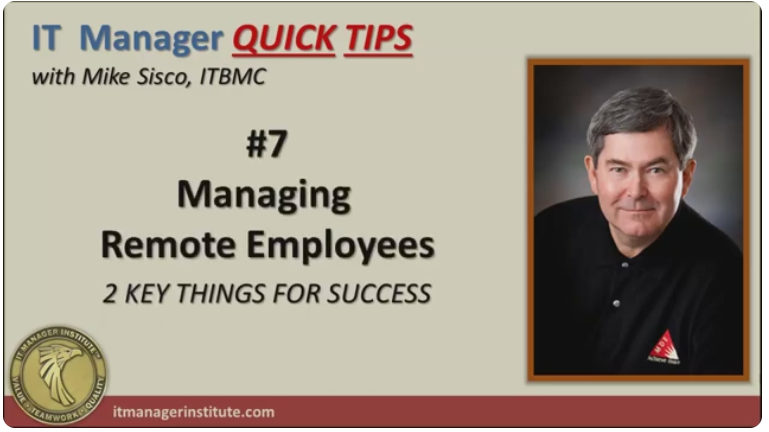
    If so, you need to read this article and watch the video below. Managing remote employees is a new trend in companies sparked by the COVID that began in 2020. This might be your first experience in this area, and I can tell you firsthand that it is a bit uncomfortable in the beginning.

    I’ve been managing remote employees since 1987, , , a long time. At first, I was a bit nervous about it (actually very nervous), but before I knew it I was settled in and it just became the norm of managing my IT organizations. We didn’t have tools or even the Internet in 1987, , , but we found effective ways to communicate and achieve the successes we needed to achieve.

    In managing remote employees, COMMUNICATION IS THE KEY !!!

    Today, we have excellent tools to help you communicate with anyone, , , anywhere in the world, , , just as if they were sitting in your office.

    OK, , , I’m not telling you anything you don’t know, but it wasn’t too long ago that these tools did not exist. With the need to allow workers to work remotely due to COVID in 2020, these tools became critical resources for managers of the world.

    Just take a look at the growth of ZOOM and you get an indication of this. Revenue spiked two quarters in a row in early 2020 and maintained record levels through the end of the year. COVID and the need to manage remote employees had a lot to do with this.

    ZOOM_Revenue_Growth

    I started using online meeting tools around 2010 after my discovery of video recording tools in 2006, so I’ve been using technology a long time to both record training videos as well as to conduct online meetings with IT managers who follow me, , ,  long before COVID.

    I introduced ZOOM to a company I was consulting with in 2015. They were spending quite a lot for a tool that was not working for them. ZOOM solved this problem quickly and helped me manage the IT Organization and the CEO manage the company more effectively that was spread across the US.

    To manage remote employees, you need two key things:

    1. Effective communications environment
    2. Process to manage remote employees

    Learn all about these critical elements in the 20-minute video titled, Managing Remote Employees

    CLICK HERE to watch the video.

    manage_remote_employees

    We appreciate your LIKE, COMMENT or SHARE.

    Tuesday TIPS

    Tuesday_TIPS

    TIP #2 – Time To Start Thinking About 2024

    It’s hard to believe 2023 is almost finished. It has flown by and it’s time to start wrapping up the year.  I hope it has been a good and successful year for you.  think-3

    This is also a great time to start thinking about next year – 2024. For me.  I have always spent some time at the end of the year (usually the week between Christmas and New Year’s Day) to reflect and try to map out some goals for the next year. Some call this developing New Year Resolutions.

    I’ve developed New Year Goals my entire career, started when I was with IBM at the beginning of my career, , , notice the THINK pad image. I can tell you for certain that much of what I accomplished was because I gave it some thought and wrote it down to achieve.

    Anyone can tell you that you are much more likely to achieve something when you write it down. Why is this the case? I believe there are several reasons:

    1. You give it thought
    2. It’s a commitment to yourself
    3. Helps remind you when you see it
    4. Helps you focus on things you want to achieve

    I’ve always created two lists, , , one that is business focused and the second is for personal things. And once again, I will tell you that doing this has helped me achieve many things I wanted to achieve in my life because of the commitment I made to myself.

    That’s really the important thing, , , making a commitment to yourself! 

    I can look back at the New Year Goals I wrote down over the years because I kept them all in a file folder. It is easy to see many of the things I wrote down were accomplished. Would these things have been achieved anyway without writing them down? Possibly, but I’m confident many would not have been.

    So, take an hour of your time between now and the end of the year and write down the key things you want to accomplish next year, both in your business and personally. Planning creates definition which leads to focus and results in achievement! You might be pleasantly surprised at the results.

    PLANNING –> DEFINITION –> FOCUS –> ACHIEVEMENT

    Mike_Signature

    Welcome to Tuesday TIPS

    Tuesday_TIPS

    Today is the first post of Tuesday TIPS where I’ll post practical IT manager tips, insights and more to help you achieve more success. NOT JUST FOR IT Managers, , , many of these posts will be useful outside of the IT world, but the focus will always be on helping IT Managers, , , so let’s get started, , ,

    TIP #1 FAST START  For A New IT Manager

    Gaining credibility quickly in a “new IT Manager position” is critical. First impressions are long-lasting and hard to change, , , you want your first impression as your company’s “new IT Manager” to be one that says you are proactive and know what you are doing.

    Nothing does this better than methodically and proactively focusing on the key things you need to do to achieve IT success! I’m going to give you a simple process and tools to make this happen.

    There are many situations where you might find yourself in a “new IT Manager position”:

    • First time manager
    • New management assignment
    • Inherit an additional IT organization
    • Join a new company
    • New CIO position

    I’ve experienced all of these. In fact, I’ve encountered over 60 “new” IT Manager situations, , , many of them because our company acquired over 45 small companies, each with an IT organization. As the CIO, I had to manage their transition into our company.

    Also, in my early IT Manager career, senior management kept adding additional IT organizational responsibilities to my plate. With each new success, I received more responsibility.

    I experienced all five of the “new IT Manager” examples listed above, and what I can tell you is that in all cases there are similar issues, albeit different and unique circumstances with each situation.

    The similarities in any “new IT Manager” situation include the following:

    1. You have a new team to work with and manage.
    2. There are new responsibilities.
    3. Your clients will be different.
    4. There will be new challenges.

    WATCH the Practical IT Manager Training Series video below to learn more and how to get off to a FAST START in any new IT Manager situation. In this video, I give you practical fundamentals that guarantee you will achieve a fast start in any new IT Manager situation, including:

    • The dynamics that take place in a new IT Manager situation
    • 4-Step Process to help you get started quickly
    • A 4-Week detailed To-Do List that helps guarantee your fast start and quick success
    • BONUS  IT Manager – Fast Start Checklist

    VIDEO_Fast Start For a New IT Manager

    Some of you may have seen this video on my YouTube Channel. It’s always worth revisiting or being aware of in case you need it or know someone who is encountering a “new IT Manager” situation.

    I hope you enjoy the Tuesday TIPS section and will benefit from the practical information I’ll deliver from many years of experiencing the IT Manager role first hand. Best of success!!

    I also hope you will “LIKE” this post and share it with your colleagues. Feel free to leave your comments.