Friday FUN #4

Friday Fun

RAISED FLOOR

One of the funniest things I experienced in my IT career was what I call the “RAISED FLOOR”. Watch a short 4-minute video that shows you why I was “floored” when I saw what this hospital did.

CLICK HERE to see the video.

raised floor

I appreciate your LIKE, COMMENT or SHARE.

Tuesday TIP #4

Tuesday_TIPS

Motivate Staff With An IT Kickoff Meeting

mike siscoWant to do something that will JUMP START YOUR NEW YEAR?

The beginning of a new year has a feeling and an energy you get that you want to take advantage of. People feel somewhat renewed and excited about entering a new year. They are back from the holidays and there is a level of excitement in the air.

One of the first Practical IT Manager Training Series videos I created was about holding an IT Kickoff Meeting. In it, I cover all the things you need to do to deliver a professional, effective, and memorable Kickoff Meeting. These timeless principles and the process will work for any organization.

My first experience with a Kickoff Meeting was when I was an IBM Systems Engineer. It was highly motivational and easy for me to see the value in such an event. I incorporated Kickoff Meetings into my management agenda and it certainly paid dividends for me, , , it can do the same for you.

CLICK HERE to watch the 35-minute video, , , it will walk you step by step through a comprehensive process to create an effective KICKOFF MEETING that they aren’t going to forget, , , GUARANTEED!

KICKOFF MEETING

I appreciate your LIKE, COMMENT, and SHARING this post.

Friday FUN #3

Friday Fun

mark_photgrapherAssign a “paparazzi” to your team

You know what a “paparazzi” is, right? It’s someone who takes photos or video clips of famous people in their day-to-day lives, , , people like actors, sports stars, politicians, celebrities, etc.

One of the best ways to generate enthusiasm and motivate people is to deliver a slideshow and upbeat music in a staff meeting, Annual Kickoff Meeting, or special event. I picked up on this early in my career when I was with IBM, , , and I’ve used this myself for dozens of meetings and events in my career.

PEOPLE LIKE TO SEE THEMSELVES ON THE BIG SCREEN!!!

I assign a paparazzi to every IT Manager Institute class I deliver. At the end of the program. I share the photos with each person, and I give them copies on the class flash drive. Not only does it go over big with the students, but it creates a lifetime of memories for me as well, , , VERY SPECIAL.

photographerThe photographer you see at the top is my brother, Mark. He is an avid photographer and has a great eye for capturing quality and unusual images with his camera. Find someone with this talent who can blend in and just happens to be at the right place at the right time and you will have a winner.

Doing things like this can separate you from others and make it fun to work in your organization. This is great motivation material and it doesn’t cost a dime.

CLICK HERE to view some of the “paparazzi moments” in my IT Manager Institute classes.

paparazzi pdf cover

Tuesday TIP #3

Tuesday_TIPS

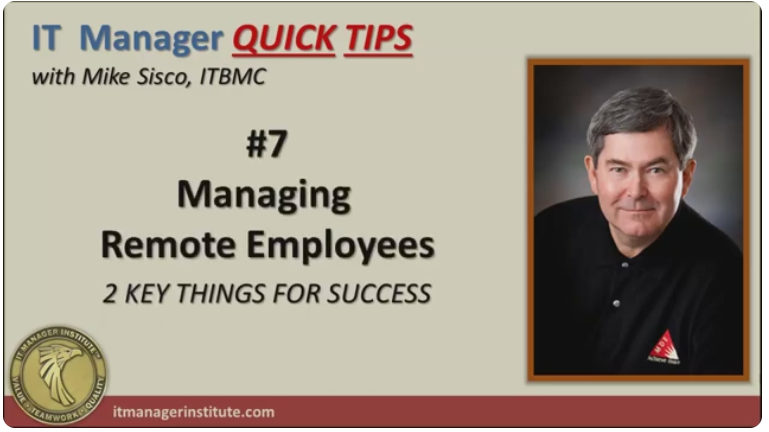
Managing Remote Employees

remote employeesIs managing remote employees a new situation for you? Or maybe, you are discovering it to be a challenge.

If so, you need to read this article and watch the video below. Managing remote employees is a new trend in companies sparked by the COVID that began in 2020. This might be your first experience in this area, and I can tell you firsthand that it is a bit uncomfortable in the beginning.

I’ve been managing remote employees since 1987, , , a long time. At first, I was a bit nervous about it (actually very nervous), but before I knew it I was settled in and it just became the norm of managing my IT organizations. We didn’t have tools or even the Internet in 1987, , , but we found effective ways to communicate and achieve the successes we needed to achieve.

In managing remote employees, COMMUNICATION IS THE KEY !!!

Today, we have excellent tools to help you communicate with anyone, , , anywhere in the world, , , just as if they were sitting in your office.

OK, , , I’m not telling you anything you don’t know, but it wasn’t too long ago that these tools did not exist. With the need to allow workers to work remotely due to COVID in 2020, these tools became critical resources for managers of the world.

Just take a look at the growth of ZOOM and you get an indication of this. Revenue spiked two quarters in a row in early 2020 and maintained record levels through the end of the year. COVID and the need to manage remote employees had a lot to do with this.

ZOOM_Revenue_Growth

I started using online meeting tools around 2010 after my discovery of video recording tools in 2006, so I’ve been using technology a long time to both record training videos as well as to conduct online meetings with IT managers who follow me, , ,  long before COVID.

I introduced ZOOM to a company I was consulting with in 2015. They were spending quite a lot for a tool that was not working for them. ZOOM solved this problem quickly and helped me manage the IT Organization and the CEO manage the company more effectively that was spread across the US.

To manage remote employees, you need two key things:

  1. Effective communications environment
  2. Process to manage remote employees

Learn all about these critical elements in the 20-minute video titled, Managing Remote Employees

CLICK HERE to watch the video.

manage_remote_employees

We appreciate your LIKE, COMMENT or SHARE.

Friday FUN #2

Friday Fun

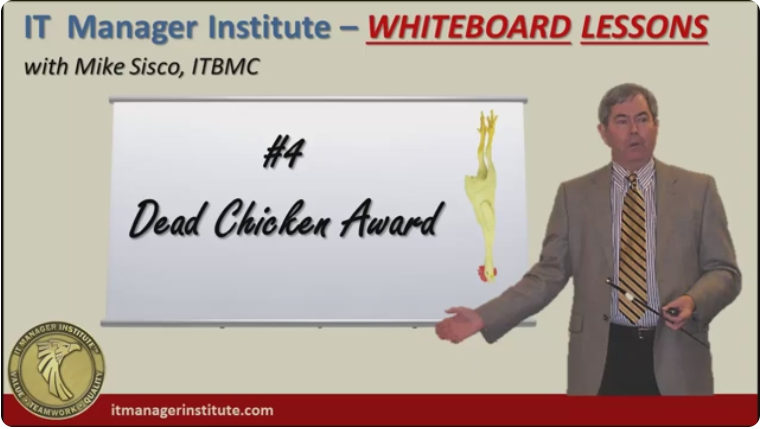
Dead Chicken Award

dead chickenI’ve shared the “Dead Chicken Award” idea with IT Managers all over the world, and I have yet to find anyone who knew what it is all about. I’ve used this principle a couple of times, , , in both cases it was with a younger team. It won’t go over as well with a senior or older group of employees.

This is one of many motivational techniques I’ve used successfully in my corporate days of managing IT organizations. Working in IT is challenging and can be stressful for your employees, , , and you.

This is why we need to take a break from time to time and find a way to have fun at work. Trust me, your employees will appreciate you and it will set you apart when you work at making your work environment a more fun place to be.

The “Dead Chicken Award” may not be the one for you, , , you need to do things that you are personally comfortable with and that’s appropriate for your particular team. But whatever you do, it’s important to introduce a thing or two, , , or three that lightens things up and helps your team have some fun. You will discover it helps motivate people.

CLICK HERE to watch the 8-minute video that explains it all.

dead chicken video

Tuesday TIPS

Tuesday_TIPS

TIP #2 – Time To Start Thinking About 2024

It’s hard to believe 2023 is almost finished. It has flown by and it’s time to start wrapping up the year.  I hope it has been a good and successful year for you.  think-3

This is also a great time to start thinking about next year – 2024. For me.  I have always spent some time at the end of the year (usually the week between Christmas and New Year’s Day) to reflect and try to map out some goals for the next year. Some call this developing New Year Resolutions.

I’ve developed New Year Goals my entire career, started when I was with IBM at the beginning of my career, , , notice the THINK pad image. I can tell you for certain that much of what I accomplished was because I gave it some thought and wrote it down to achieve.

Anyone can tell you that you are much more likely to achieve something when you write it down. Why is this the case? I believe there are several reasons:

  1. You give it thought
  2. It’s a commitment to yourself
  3. Helps remind you when you see it
  4. Helps you focus on things you want to achieve

I’ve always created two lists, , , one that is business focused and the second is for personal things. And once again, I will tell you that doing this has helped me achieve many things I wanted to achieve in my life because of the commitment I made to myself.

That’s really the important thing, , , making a commitment to yourself! 

I can look back at the New Year Goals I wrote down over the years because I kept them all in a file folder. It is easy to see many of the things I wrote down were accomplished. Would these things have been achieved anyway without writing them down? Possibly, but I’m confident many would not have been.

So, take an hour of your time between now and the end of the year and write down the key things you want to accomplish next year, both in your business and personally. Planning creates definition which leads to focus and results in achievement! You might be pleasantly surprised at the results.

PLANNING –> DEFINITION –> FOCUS –> ACHIEVEMENT

Mike_Signature

Welcome to Friday FUN

Friday Fun

IT Managers have the most difficult manager role in a company. There are many reasons for this that I’ve written about, , , maybe I’ll post this article again in the future. IT management can be stressful as well as just “plain hard” at times. For this reason, we need to take a break and HAVE SOME FUN !!.

This is what Friday FUN will be about Hope you like it!

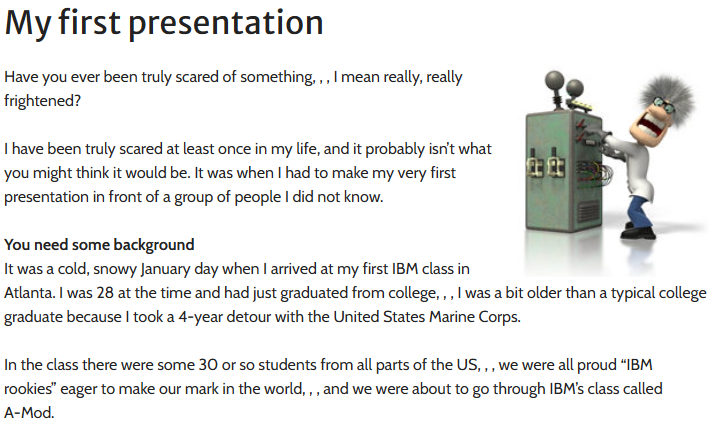
FUN #1 – My First Presentation

presenterI’m pulling this one out of the archives because it can help you in the year ahead. I wrote this article almost 10 years ago and it is posted on this site but most of you have not seen it.

Presenting and communicating well can be a tremendous advantage in your career development. I’ve presented “live” in front of hundreds several times and thousands over the years in the classes and training I do. Today, I don’t get nervous!

But, you need to read the article to truly understand how difficult this was early in my career.

Gaining an appreciation for what took place in my first presentation can help you overcome your fear of presenting and boost your career, , , it certainly did this for me.

CLICK HERE to read the article.

first presentation


Welcome to Tuesday TIPS

Tuesday_TIPS

Today is the first post of Tuesday TIPS where I’ll post practical IT manager tips, insights and more to help you achieve more success. NOT JUST FOR IT Managers, , , many of these posts will be useful outside of the IT world, but the focus will always be on helping IT Managers, , , so let’s get started, , ,

TIP #1 FAST START  For A New IT Manager

Gaining credibility quickly in a “new IT Manager position” is critical. First impressions are long-lasting and hard to change, , , you want your first impression as your company’s “new IT Manager” to be one that says you are proactive and know what you are doing.

Nothing does this better than methodically and proactively focusing on the key things you need to do to achieve IT success! I’m going to give you a simple process and tools to make this happen.

There are many situations where you might find yourself in a “new IT Manager position”:

  • First time manager
  • New management assignment
  • Inherit an additional IT organization
  • Join a new company
  • New CIO position

I’ve experienced all of these. In fact, I’ve encountered over 60 “new” IT Manager situations, , , many of them because our company acquired over 45 small companies, each with an IT organization. As the CIO, I had to manage their transition into our company.

Also, in my early IT Manager career, senior management kept adding additional IT organizational responsibilities to my plate. With each new success, I received more responsibility.

I experienced all five of the “new IT Manager” examples listed above, and what I can tell you is that in all cases there are similar issues, albeit different and unique circumstances with each situation.

The similarities in any “new IT Manager” situation include the following:

  1. You have a new team to work with and manage.
  2. There are new responsibilities.
  3. Your clients will be different.
  4. There will be new challenges.

WATCH the Practical IT Manager Training Series video below to learn more and how to get off to a FAST START in any new IT Manager situation. In this video, I give you practical fundamentals that guarantee you will achieve a fast start in any new IT Manager situation, including:

  • The dynamics that take place in a new IT Manager situation
  • 4-Step Process to help you get started quickly
  • A 4-Week detailed To-Do List that helps guarantee your fast start and quick success
  • BONUS  IT Manager – Fast Start Checklist

VIDEO_Fast Start For a New IT Manager

Some of you may have seen this video on my YouTube Channel. It’s always worth revisiting or being aware of in case you need it or know someone who is encountering a “new IT Manager” situation.

I hope you enjoy the Tuesday TIPS section and will benefit from the practical information I’ll deliver from many years of experiencing the IT Manager role first hand. Best of success!!

I also hope you will “LIKE” this post and share it with your colleagues. Feel free to leave your comments.

MDE Enterprises, Inc.

I created my company, MDE Enterprises, Inc. on September 1, 2000. In the beginning, I didn’t know what I really wanted to do other than I wanted to do something with the Internet and probably avoid consulting work.

At the very start, we were a consulting company with a 3-month contract with my last company where I had been their CIO. This eventually went for 11 months before we parted ways for good. It was good revenue for us in the beginning and allowed me to focus on developing the real MDE company for the future.

During this first year, I decided to write a book and try to sell it on the Internet. So, What To Look For in a CIO was written. Mid-way in the development of this book, it dawned upon me that I really needed to write a series of books to discuss how to do things that an IT manager needs to be able to do to achieve success.

What happened was that I had an eye-opener, , , what I needed to do was to do what I had been doing for my entire career, , , teach others how to manage an IT organization successfully.

I still remember doing the “all nighter” when I drafted the Table of Contents of 9 more books that I thought I needed to write. All of a sudden, I have an immediate road map and I’ve sort of settled into what would become my company’s mission, “helping IT managers of the world achieve more success“.

After a year, I completed the last of the 10 books I had set out to write. Once completed, I embarked immediately on creating the IT Manager ToolKit to give to “early buyers” of my full series of books. After completing the 2nd book, IT Management-101: fundamentals to achieve more, I created a web page and started selling the entire series (10 e-books) for $179.00.

Yep, I started selling all ten books even though only two of them were completed. What was amazing is that by the time I completed all ten (about 10 months later), I had sold 104 sets of the unfinished full series. I call these people “early buyers”.

When I completed the IT Manager ToolKit, I sent them all an email message with a download link for a free ToolKit, something I hadn’t envisioned creating until I was working on the 8th book.

I gave them more than what they paid for because of the good faith and trust they had placed with me. It felt really good.

In addition, I immediately increased the price of the full series of e-books including the ToolKit to $279.00 which is what it is today, 17 years later.

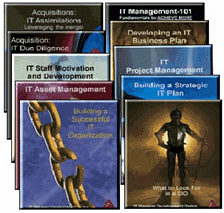
I went on to write 5 more books and develop a considerable amount of training that has taken me around the world, , , posts for a later date. Nine years after publishing the full series of 10 books, I rewrote them and changed the covers to reflect that they are all part of a series.

The “full series” of the Practical IT Manager books


THINK

When I worked at IBM in the late 70’s and early 80’s it was something very special. I have great memories of the clients I had and the IBMers I worked with. These experiences had a major impact on my career development.

One of the things I remember from the very beginning of being with IBM was a theme of “THINK”. This brand was part of IBM’s culture at the time and there were little reminders to reinforce it.
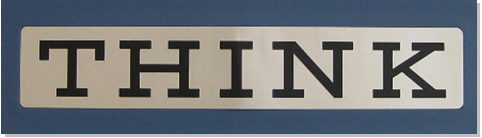
One was the THINK desk plaque shown above. You would see this plaque on desks and in many other places in an IBM environment. I would see them on top of IBM computer systems in a client’s office quite often , , , probably still a few of these roaming around companies who have been with IBM for generations. I still have mine.

Another item they gave me during my IBM Rookie days was a THINK Notepad.

It was handy for carrying with you and taking notes when with a client. Very small and functional. I used up many fillers for my notepad.

I also still have this item in my box of career memorabilia.

I probably didn’t think much about the message embodied within this brand of “THINK”, but it makes sense and was simple and to the point, , , just like IBM wanted, I imagine.

I think of the IBMers I worked with quite often. They hold a special place in my heart and memory bank. They were without a doubt some of the most professional and fun people to work with in my entire career.

Maybe it had to do with the fact that I was right out of college and still young and impressionable, but I think more of it was the sense of teamwork and camaraderie we had in the General Systems Division (GSD) of the Jackson, Mississippi office.

Another item we had that was handy was IBM note cards. They were simply blank 80-column cards we used in the old days of card systems with the message “THINK” printed at the top.

I think our local office had these made up and we simply stocked our supply with them to use as needed, , , sort of like nice golf clubs put out free golf tees for players to grab on their way to the first tee.

“THINK” has long been an IBM theme. Have you ever heard the term “thinkpad”?

Yep, it is IBM’s (now Lenovo) laptop brand name. They continue to use the word “think” to promote their products and services all these years.

I have three Thinkpads. One is a powerful machine that I use as my desktop, but because it is actually a laptop I can take my entire office with me if I want. It’s larger and heavier so I rarely unhook it from the docking station that has all my desk peripherals connected (monitor, presentation TV on the wall, scanner, external speakers, external microphone, Logitech webcam, etc.).

The 2nd is a Lenovo X1 Carbon Thinkpad that I use for travel. I’ve had this laptop for several years now. It’s highly functional, very light and thin, and has a long battery life when needed. Love this laptop.

The third is an older IBM Thinkpad that I keep around just in case of an emergency.

IBM’s use of the theme “THINK” looks like it has worked out pretty well.